
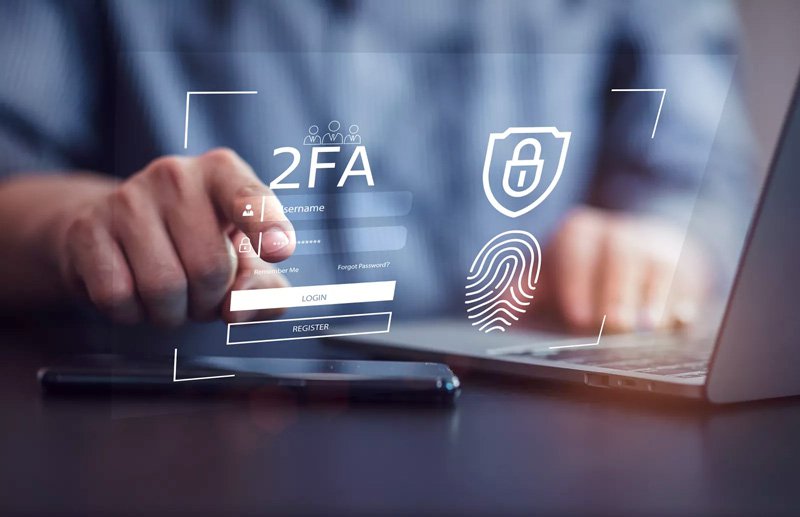
Unlock Unrivaled Digital Security: The Indispensable Benefits of Two-Factor Authentication (2FA)
In an increasingly interconnected digital world, safeguarding your online identity and sensitive information is paramount. With the constant evolution of cyber threats, relying solely on a password for your online accounts is akin to leaving your front door unlocked. This is precisely where two-factor authentication (2FA) steps in, providing an indispensable second layer of defense that dramatically enhances your digital security. Discover how implementing 2FA can fortify your online presence, protect against data breaches, and give you unparalleled peace of mind in the face of sophisticated cyber attacks.
The Imperative for Enhanced Digital Security
The digital landscape is a battlefield, and your personal data is the prize. Traditional password-based security, while a foundational element, is no longer sufficient against the myriad of cyber threats looming today. From automated credential stuffing attacks that test millions of stolen password combinations per second, to highly sophisticated phishing schemes designed to trick you into revealing your login details, the vulnerabilities are numerous. A single compromised password can grant unauthorized access to your email, banking, social media, and even cloud storage, leading to devastating consequences like identity theft, financial fraud, and reputational damage. This grim reality underscores the urgent need for a more robust security protocol – a need unequivocally met by two-factor authentication.
Core Benefits: Why 2FA is Your Digital Shield
Embracing 2FA is not merely an option; it's a critical upgrade for anyone serious about their online safety. It acts as a formidable barrier, ensuring that even if a cybercriminal obtains your password, they still cannot access your account without a second, unique piece of information.
Unparalleled Protection Against Credential Theft
The most immediate and significant benefit of 2FA is its ability to thwart credential theft. Whether your password is leaked in a data breach, intercepted by a keylogger, or guessed through a brute-force attack, 2FA renders that stolen password largely useless. When you attempt to log in with 2FA enabled, the system requires a second verification step, typically something only you possess or can generate. This second factor could be a unique code sent to your mobile phone, a one-time password (OTP) from an authenticator app, or a biometric scan. Without this second factor, even a perfectly valid password cannot grant access, effectively neutralizing the threat of stolen credentials.
Fortifying Your Online Accounts
Every online account you hold, from your personal email and banking portals to your social media profiles and e-commerce sites, represents a potential entry point for cybercriminals. Two-factor authentication provides a critical layer of defense across your entire digital footprint. Imagine the impact of losing control over your email, which often serves as the recovery mechanism for dozens of other accounts. With 2FA, even if your email password is compromised, an attacker cannot reset other account passwords because they lack the second authentication factor for your email. This multi-layered defense significantly reduces your attack surface and protects your most valuable digital assets.
Preventing Identity Theft and Financial Fraud
The repercussions of a compromised account extend far beyond simple inconvenience. Unauthorized access can quickly escalate to full-blown identity theft, where criminals use your personal information to open new lines of credit, file fraudulent tax returns, or even commit crimes in your name. For financial accounts, a breach could lead to direct financial fraud, draining bank accounts or making unauthorized purchases. By securing your logins with 2FA, you erect a powerful barrier against these devastating outcomes. The added security step ensures that only you can authorize transactions or access sensitive financial data, providing robust financial security and safeguarding your credit score.
Compliance and Peace of Mind for Businesses
For organizations, the benefits of using two factor authentication extend to regulatory compliance and building customer trust. Many data protection regulations, such as GDPR and CCPA, implicitly or explicitly recommend strong authentication methods to protect user data. Implementing 2FA helps businesses meet these stringent requirements, mitigating the risk of hefty fines and reputational damage from data breaches. Furthermore, by visibly prioritizing robust cybersecurity measures like 2FA, businesses demonstrate their commitment to customer data protection, fostering greater trust and loyalty among their user base. It's an essential component of a modern security protocol for any enterprise handling sensitive information.
Simplicity and User Empowerment
Despite its powerful security benefits, 2FA is remarkably simple to implement and use. Most major online services offer it, and enabling it often takes just a few clicks within your account settings. Once set up, the process typically involves entering your password followed by a quick verification step – scanning a fingerprint, tapping "approve" on your phone, or typing in a six-digit code. This ease of use encourages broader adoption, empowering users to take active control of their online security without needing advanced technical knowledge. It shifts the burden from memorizing impossibly complex passwords to a more intuitive, multi-pronged approach to secure login.
How Two-Factor Authentication Works: A Glimpse Behind the Shield
To truly appreciate the power of 2FA, it's helpful to understand the underlying principles that make it so effective. At its core, 2FA relies on verifying your identity using at least two different "factors" of authentication.
The Three Factors of Authentication
Security experts categorize authentication methods into three distinct factors:
- Something You Know: This is the most common factor – your password or PIN. It relies on secret information that only you should possess.
- Something You Have: This factor involves a physical item in your possession. Examples include your smartphone (receiving SMS codes or running an authenticator app), a hardware security key (like a YubiKey), or even a smart card.
- Something You Are: This refers to biometric data unique to you. This includes fingerprints, facial recognition, iris scans, or voice recognition.
Two-factor authentication combines any two of these distinct factors, creating a much stronger barrier than a single factor alone. For instance, combining "something you know" (your password) with "something you have" (a code on your phone) ensures that even if your password is stolen, the attacker still needs physical access to your phone to log in.
Common 2FA Methods Explained
While the principle remains the same, there are several popular authentication methods for 2FA, each with its own advantages:
- SMS-based Codes: A one-time passcode (OTP) is sent via text message to your registered phone number. While convenient, this method is generally considered less secure due to potential SIM swap attacks.
- Authenticator Apps: Apps like Google Authenticator, Microsoft Authenticator, or Authy generate time-based one-time passwords (TOTP) directly on your device. These codes refresh every 30-60 seconds and do not rely on cellular networks, making them more secure than SMS.
- Hardware Security Keys: Physical devices, such as USB keys (e.g., FIDO2/WebAuthn keys like YubiKey or Google Titan Key), plug into your computer's USB port or connect wirelessly. They offer the highest level of security and are resistant to phishing.
- Biometrics: Utilizes unique biological characteristics, such as fingerprint scans or facial recognition, often integrated into smartphones and laptops. This is convenient but relies on the security of the device performing the scan.
- Push Notifications: A notification is sent to your registered smartphone, asking you to approve the login attempt with a single tap. This is highly user-friendly and offers good security.
Implementing 2FA: Actionable Steps for Robust Security
Enabling 2FA is one of the most impactful steps you can take to boost your online accounts' security. Don't wait for a data breach to act.
Enabling 2FA Across Your Digital Footprint
- Identify Key Accounts: Start with your most critical accounts: email (especially your primary recovery email), banking, social media, cloud storage, and any financial or shopping platforms.
- Locate Security Settings: Log into each account and navigate to the "Security," "Privacy," or "Account Settings" section. Look for options like "Two-Factor Authentication," "2FA," "Multi-Factor Authentication (MFA)," or "Login Verification."
- Choose Your Method: Select your preferred 2FA method. While SMS is easy, consider an authenticator app or a hardware key for enhanced security.
- Follow On-Screen Prompts: The service will guide you through the setup, which usually involves scanning a QR code with an authenticator app, entering a phone number, or registering a hardware key.
- Save Backup Codes: Most services provide a set of one-time backup codes. Store these in a secure, offline location (e.g., a physical safe, an encrypted USB drive) in case you lose access to your primary 2FA device.
- Test It: After setup, log out and attempt to log back in to ensure 2FA is working correctly.
Best Practices for 2FA Adoption
- Enable 2FA Everywhere Possible: Make it a habit to check for and enable 2FA on every service you use.
- Prioritize Authenticator Apps/Hardware Keys: While SMS 2FA is better than none, authenticator apps and hardware keys offer superior protection against sophisticated phishing attacks and SIM swapping.
- Secure Your 2FA Device: If using a smartphone for 2FA, ensure it's password-protected and has up-to-date security software.
- Do Not Share Codes: Never share your 2FA codes with anyone, even if they claim to be from a legitimate service. Legitimate services will never ask for your 2FA code over the phone or email.
- Regularly Review Security Settings: Periodically check your account security settings to ensure 2FA is still active and that no unauthorized devices are linked.
Choosing the Right 2FA Method for You
The "best" 2FA method often depends on your individual needs and the level of security you require:
- For Maximum Security: Hardware security keys (FIDO2/WebAuthn) offer the strongest protection against phishing and account takeover. They are ideal for high-value accounts like email and financial services.
- For Strong Security & Convenience: Authenticator apps strike a good balance. They are generally secure, work offline, and are easy to use across multiple services.
- For Basic Protection & Ease of Use: SMS codes are better than no 2FA, but be aware of their limitations regarding SIM swap risks. Use them only if other options are unavailable.
- For Seamless Experience: Biometrics (fingerprint, facial recognition) integrated into devices offer excellent convenience but rely on the device's security and biometric system's integrity.
Beyond Passwords: The Future of Account Protection
While two-factor authentication provides a critical bridge from traditional password reliance to a more secure future, the evolution of multi-factor authentication (MFA) continues. Innovations like passwordless authentication (where passwords are entirely replaced by a combination of factors) and advanced behavioral biometrics are on the horizon, promising even more seamless and robust account protection. However, for the foreseeable future, 2FA remains the most accessible, effective, and widely adopted method for significantly enhancing your digital security posture against the vast majority of cyber threats.
Frequently Asked Questions About 2FA
What is the primary purpose of two-factor authentication?
The primary purpose of two-factor authentication (2FA) is to add an extra layer of security beyond just a password to your online accounts. It ensures that even if someone manages to steal or guess your password, they still cannot gain unauthorized access to your account without also possessing a second, distinct piece of information or device that only you control. This significantly reduces the risk of unauthorized access and account compromise.
Is 2FA foolproof against all cyber threats?
While 2FA dramatically enhances security, no security measure is 100% foolproof against all cyber threats. Highly sophisticated and targeted attacks, such as advanced phishing techniques designed to trick users into providing both factors, or certain forms of malware, can potentially bypass some 2FA methods (especially SMS-based ones). However, for the vast majority of users and common attack vectors like credential stuffing and basic phishing, 2FA provides a robust and highly effective defense. Using hardware security keys offers the strongest protection against even advanced phishing.
What happens if I lose my 2FA device?
Losing your 2FA device (like your smartphone with an authenticator app) can be concerning, but it doesn't mean permanent lockout from your accounts if you've prepared. Most services provide backup codes when you set up 2FA. These are one-time use codes that allow you to bypass the second factor if your device is unavailable. It's crucial to store these codes in a secure, offline location. Additionally, many services offer alternative recovery methods, such as verifying your identity through a trusted email or phone number, or by answering security questions, though these can be less secure than backup codes.
Why should I enable 2FA on all my online accounts?
You should enable 2FA on all your online accounts, not just the most obvious ones, because your digital footprint is interconnected. A breach on a seemingly insignificant account (e.g., a forum, a niche shopping site) can expose your email address and password. If you reuse that password on more critical accounts (like your banking or primary email), a single breach can cascade into multiple compromises. By applying two-factor authentication universally, you create a comprehensive and consistent layer of account protection across your entire digital life, preventing one weak link from jeopardizing your overall digital security.
Are there different types of two-factor authentication?
Yes, there are several different types of two-factor authentication (2FA), categorized by the second factor they utilize. These commonly include SMS-based codes (sent to your phone), time-based one-time passwords (TOTP) generated by authenticator apps (e.g., Google Authenticator, Authy), push notifications to a trusted mobile device, hardware security keys (e.g., USB-based FIDO2 keys), and biometric verification (e.g., fingerprint or facial recognition). Each method offers varying levels of convenience and security, with hardware keys generally considered the most secure against sophisticated attacks like phishing.
Don't leave your digital life vulnerable. Take control of your online security today by enabling two-factor authentication (2FA) on all your critical accounts. It's a simple step that provides powerful protection against the ever-growing landscape of cyber threats. Your peace of mind is worth it.

0 Komentar