
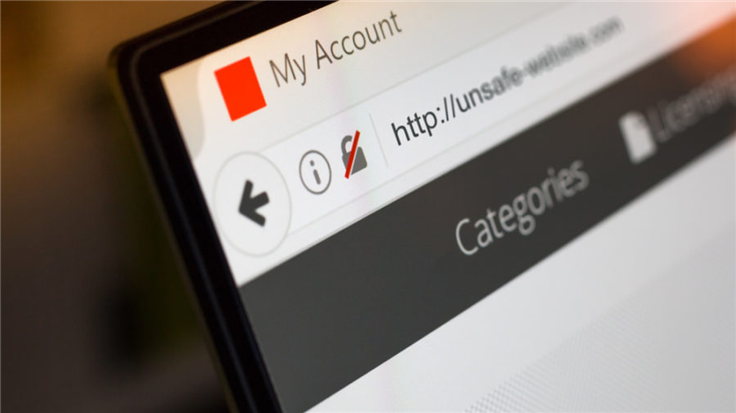
Unmasking Your Digital Footprint: The Best Web Browsers for Privacy and Security
In an increasingly interconnected world, your web browser is the gateway to your digital life. Yet, for many, it’s also an unwitting accomplice in the erosion of personal privacy and a potential vulnerability to online threats. Navigating the internet safely and securely demands more than just a passing thought; it requires informed choices, starting with the very tool you use to access it. This comprehensive guide delves deep into the realm of best web browsers for privacy and security, equipping you with the knowledge to reclaim your digital anonymity and fortify your online defenses. We’ll explore critical features, compare top contenders, and provide actionable advice to ensure your internet journey is as private and secure as possible.
Why Your Browser Matters for Privacy and Security
Your web browser is far more than just a window to the internet; it’s a sophisticated piece of software that handles an immense amount of your personal data. From your browsing history and search queries to your login credentials and tracking cookies, virtually every interaction leaves a digital footprint. Mainstream browsers, while convenient, often come with built-in telemetry, data collection practices, and a default configuration that prioritizes functionality over stringent data protection. This can lead to pervasive tracking by advertisers, data brokers, and even malicious actors, compromising your online anonymity and exposing you to various risks.
Understanding the Threats to Your Online Privacy
To truly appreciate the importance of a privacy-focused browser, it's crucial to understand the landscape of online threats:
- Cross-Site Tracking: Websites use cookies and other trackers to follow your activity across different sites, building detailed profiles of your interests and behaviors. This is a primary method for targeted advertising and data collection.
- Browser Fingerprinting: This advanced tracking technique collects unique characteristics of your browser and device (e.g., screen resolution, installed fonts, plugins, operating system) to create a unique "fingerprint" that identifies you even without cookies. It's incredibly difficult to evade without specialized tools.
- Malware and Phishing: Malicious software (malware) can be delivered through compromised websites or deceptive downloads, while phishing attempts trick you into revealing sensitive information. A secure browser offers built-in safeguards against these.
- DNS Leaks: Your Domain Name System (DNS) requests can reveal your browsing activity to your Internet Service Provider (ISP), even if you're using a VPN. A privacy-centric browser can encrypt these requests.
- Unwanted Telemetry: Many browsers collect usage data and send it back to their developers. While often anonymized, the sheer volume of data collected can be concerning for privacy-conscious users.
Key Features of a Privacy-Focused Browser
Choosing the best web browsers for privacy and security means looking beyond the default settings and understanding the core features that truly make a difference. These are the non-negotiables for robust secure browsing:
Built-in Protections Against Tracking and Ads
- Robust Ad and Tracker Blocking: A top-tier privacy browser comes with integrated ad blockers and anti-tracking mechanisms. This not only speeds up page loading but also significantly reduces your exposure to data collection and malicious ads. Look for browsers that block third-party cookies, social media trackers, and cryptocurrency miners by default.
- Anti-Fingerprinting Technology: This is paramount for preventing advanced tracking. Such technology works by either randomizing your browser's unique characteristics or presenting a generic "fingerprint" to websites, making it harder for data brokers to identify you.
- Enhanced Tracking Protection (ETP): Some browsers offer granular control over different categories of trackers, allowing you to choose your level of protection from strict to standard.
Data Handling, Encryption, and Open Source
- Encrypted DNS (DNS-over-HTTPS/TLS): This feature encrypts your DNS queries, preventing your ISP from monitoring which websites you visit and mitigating DNS leaks.
- Automatic HTTPS Everywhere: Ensures that your connection to websites is always encrypted via HTTPS, protecting your data from eavesdropping. If a site only offers HTTP, the browser should warn you or attempt to upgrade the connection.
- Strong Password Manager Integration: While dedicated password managers are generally recommended, a browser's built-in manager should offer robust encryption and secure syncing options.
- Open-Source Codebase: Browsers with open-source code allow security experts and the public to audit the code for vulnerabilities and backdoors, fostering transparency and trust. This is a significant indicator of a browser's commitment to security.
- Minimal Telemetry and Data Collection: A truly private browser collects little to no user data, or at least provides clear options to opt-out of all telemetry.
- Sandboxing: This security feature isolates browser tabs and processes from the rest of your operating system, preventing malicious code from affecting your entire computer.
Top Contenders: Best Web Browsers for Privacy and Security
Now, let's dive into the specific browsers that stand out in the privacy and security landscape. Each offers a unique blend of features and philosophies, catering to different levels of user expertise and desired anonymity.
Brave Browser: Balancing Privacy and Usability
Brave has rapidly gained popularity for its strong focus on privacy without sacrificing user experience. Built on Chromium (the open-source foundation of Chrome), Brave comes with a powerful integrated ad and tracker blocker called "Brave Shields" which operates by default, significantly improving page load times and reducing your digital footprint. It also features anti-fingerprinting technology and automatically upgrades connections to HTTPS. Brave's unique approach includes a privacy-respecting advertising model (Brave Rewards) where users can opt-in to view ads and earn Basic Attention Tokens (BAT), which can then be used to tip content creators or exchanged for other currencies. While its Chromium base raises some eyebrows for extreme privacy advocates, Brave has made substantial efforts to strip out Google's tracking components.
- Pros: Excellent built-in ad/tracker blocking, anti-fingerprinting, fast performance, rewards system for privacy-respecting ads, automatic HTTPS.
- Cons: Chromium base (though de-googled), some users dislike the crypto integration.
Mozilla Firefox (with Hardening): The Customizable Champion
Firefox remains a top choice for privacy enthusiasts, primarily due to its open-source nature, strong commitment to user privacy, and unparalleled customizability. Unlike Chromium-based browsers, Firefox uses its own Gecko engine, offering a distinct architecture. Out-of-the-box, Firefox offers "Enhanced Tracking Protection" (ETP) which blocks a wide range of trackers, cryptominers, and fingerprinting scripts. However, its true power lies in its extensive add-on ecosystem and the ability to "harden" its settings through `about:config` tweaks. By adjusting settings and adding crucial extensions like uBlock Origin, Privacy Badger, and HTTPS Everywhere, Firefox can be configured into a privacy fortress. Mozilla's dedication to privacy is evident in its regular updates and transparent data policies.
- Pros: Open-source, strong ETP, highly customizable, vast add-on ecosystem, independent engine, robust tracking prevention.
- Cons: Requires some manual configuration for maximum privacy, can be slower than Chromium browsers on some systems.
Tor Browser: The Ultimate Anonymity Tool
When online anonymity is the absolute priority, Tor Browser stands alone. Built on a modified Firefox ESR (Extended Support Release), Tor routes your internet traffic through the Tor network, a volunteer-operated network of relays. This process encrypts your data and bounces it through at least three random relays around the world, making it extremely difficult to trace your online activity back to your IP address. Tor Browser also includes strong anti-fingerprinting measures, automatically clears cookies and history after each session, and blocks scripts by default (via NoScript). It's the go-to choice for journalists, activists, and anyone needing to bypass censorship or operate with extreme discretion. However, the multi-hop routing makes it significantly slower than conventional browsers, and it's not suitable for everyday browsing like streaming or online gaming.
- Pros: Unparalleled anonymity, strong encryption, bypasses censorship, ideal for sensitive activities, built-in anti-fingerprinting.
- Cons: Very slow, not suitable for general browsing, may raise flags with ISPs/governments if used consistently.
LibreWolf: Firefox Hardened to the Extreme
For those who love Firefox but desire an even more stringent privacy posture without the manual configuration, LibreWolf is an excellent option. It's a community-driven fork of Firefox, pre-configured with enhanced privacy and security settings. LibreWolf removes all telemetry, automatically deletes browsing data on exit, and includes uBlock Origin and other privacy extensions by default. It also implements stricter anti-fingerprinting measures and removes features considered non-essential for privacy (like Pocket integration). Essentially, LibreWolf is Firefox "de-googled" and hardened right out of the box, offering a truly private browsing experience with minimal effort.
- Pros: Extreme privacy by default, no telemetry, built-in ad/tracker blocking, strong anti-fingerprinting, based on Firefox.
- Cons: Can break some websites due to aggressive blocking, may require more technical understanding for troubleshooting.
Mullvad Browser: Privacy and VPN Integration
Developed in collaboration between Mullvad VPN and the Tor Project, Mullvad Browser is a newer contender designed for maximum anti-fingerprinting and privacy, especially when used in conjunction with a VPN. It aims to provide the same level of anti-fingerprinting as Tor Browser but for regular VPN usage. It's built on a modified Firefox ESR, stripped of telemetry, and includes uBlock Origin and NoScript by default. Its core philosophy is to provide a "generic" fingerprint to all users, making it exceptionally difficult to distinguish one Mullvad Browser user from another. While it can be used without a VPN, its true strength shines when paired with a reputable VPN like Mullvad VPN itself, ensuring your IP address is also masked.
- Pros: Excellent anti-fingerprinting, strong privacy defaults, no telemetry, designed for VPN use, open-source.
- Cons: Relatively new, might be too restrictive for some users without configuration, best experienced with a VPN.
Vivaldi: Customization with a Privacy Lean
Vivaldi, founded by former Opera developers, is another Chromium-based browser known for its unparalleled customization options. While not as aggressively privacy-focused by default as Brave or LibreWolf, Vivaldi does offer a built-in ad and tracker blocker, and it explicitly states it doesn't track its users. It also provides features like tab tiling, mouse gestures, and a built-in mail client, making it a powerful productivity tool. For users who prioritize extensive customization and robust features alongside reasonable privacy controls, Vivaldi is a strong contender. However, users should be mindful of its Chromium base and ensure they enable all available privacy settings.
- Pros: Highly customizable, built-in ad/tracker blocker, no user tracking by Vivaldi, feature-rich.
- Cons: Chromium base, not as privacy-hardened by default as other options on this list, requires enabling privacy features manually.
Beyond the Browser: Essential Privacy and Security Practices
Choosing the best web browsers for privacy and security is a crucial first step, but it's only one piece of the puzzle. To truly fortify your online presence and minimize your digital footprint, you need to adopt a holistic approach to your internet habits.
Browser Settings Hardening: Actionable Tips
Regardless of your chosen browser, take the time to review and adjust its privacy settings. Many browsers offer granular controls that are often overlooked:
- Disable Third-Party Cookies: Most browsers allow you to block all third-party cookies, which are primarily used for cross-site tracking.
- Enable "Do Not Track": While not universally honored, enabling this setting sends a request to websites not to track your activity.
- Clear Browsing Data Regularly: Periodically clear your browsing history, cache, and cookies. Some browsers allow you to set this to happen automatically upon exit.
- Review Permissions: Restrict website access to your microphone, camera, location, and notifications unless absolutely necessary.
- Disable Browser Sync: If you're highly privacy-conscious, avoid syncing your browser data across devices, especially if the sync service isn't end-to-end encrypted.
- Check for DNS-over-HTTPS/TLS: Ensure this feature is enabled in your browser settings for encrypted DNS queries.
Essential Browser Extensions for Enhanced Protection
While some browsers offer built-in protections, supplementing them with carefully chosen extensions can significantly enhance your secure browsing experience. Be selective, as too many extensions can impact performance or even introduce new vulnerabilities.
- uBlock Origin: A highly efficient and effective wide-spectrum blocker that goes beyond just ads, blocking trackers, malware sites, and more. It's a must-have for anyone serious about tracking prevention.
- HTTPS Everywhere: Ensures that your connection to websites is always encrypted via HTTPS, protecting your data in transit.
- Privacy Badger: Learns to block invisible trackers based on their behavior, adapting to new tracking methods.
- Decentraleyes: Protects you against CDN (Content Delivery Network) tracking by emulating popular CDN resources locally.
- NoScript (for advanced users): Blocks JavaScript, Java, and Flash by default, allowing you to selectively enable scripts only for trusted sites. This significantly reduces attack surface but can break many websites.
VPN Integration: A Layer of IP Anonymity
A Virtual Private Network (VPN) encrypts your internet traffic and routes it through a server operated by the VPN provider, masking your true IP address. While a privacy-focused browser protects you from tracking at the browser level, a VPN adds a crucial layer of online anonymity by hiding your location and encrypting your connection from your ISP. For optimal privacy, combine a robust browser with a reputable, no-logs VPN service. This dual approach provides comprehensive data protection.
Consider checking out our detailed guide on "Choosing the Right VPN for Maximum Privacy" for more insights.
Secure DNS Configuration: Beyond Your ISP
Your DNS resolver translates human-readable website names (like example.com) into IP addresses. By default, your ISP handles these requests, which means they can see every website you visit. Configuring your browser or operating system to use a secure DNS provider (like Cloudflare's 1.1.1.1, Google's 8.8.8.8, or Quad9's 9.9.9.9) that supports DNS-over-HTTPS (DoH) or DNS-over-TLS (DoT) encrypts these requests, adding another layer of privacy by preventing your ISP from monitoring your browsing habits through DNS queries. Many of the best web browsers for privacy and security now support DoH directly in their settings.
Regular Updates and Maintenance
Finally, regardless of which browser you choose, ensure it is always kept up-to-date. Software updates often include critical security patches that address newly discovered vulnerabilities. Running an outdated browser leaves you exposed to known exploits. Enable automatic updates whenever possible, and regularly check for new versions. This simple step is fundamental to maintaining secure browsing.
Frequently Asked Questions
What makes a web browser "private" or "secure"?
A web browser is considered "private" if it minimizes the collection of your personal data, blocks tracking technologies, and offers features like anti-fingerprinting. It's "secure" if it protects you from malware, phishing attacks, and other online threats through sandboxing, automatic updates, and secure connection protocols like HTTPS. The best web browsers for privacy and security combine both aspects, offering robust data protection and strong defenses against malicious content.
Can I use Chrome or Edge for privacy and security?
While Chrome and Edge offer some basic privacy settings and security features (like Safe Browsing), they are not inherently designed with user privacy as their primary focus. Both browsers, being developed by companies heavily reliant on advertising (Google and Microsoft, respectively), have built-in telemetry and data collection practices that are often extensive. While you can harden their settings and use extensions, they generally require more effort to achieve a level of privacy comparable to the dedicated options like Firefox (hardened), Brave, or LibreWolf. For serious online anonymity, they are not the top recommendation.
Are private browsing modes (Incognito, Private Window) truly private?
Private browsing modes, like Chrome's Incognito or Firefox's Private Window, offer a limited form of privacy. They prevent the browser from saving your local browsing history, cookies, and site data after you close the window. However, they do NOT hide your IP address from websites or your ISP, nor do they protect you from advanced tracking methods like browser fingerprinting. Your employer or ISP can still see your activity. For true secure browsing and anonymity, you need a dedicated privacy browser combined with tools like a VPN or Tor.
What is browser fingerprinting and how do browsers protect against it?
Browser fingerprinting is an advanced tracking technique that collects unique characteristics of your browser and device, such as your operating system, installed fonts, screen resolution, browser plugins, and hardware details. This data is then combined to create a unique "fingerprint" that can identify you across different websites, even if you clear cookies or use private browsing modes. Browsers protect against fingerprinting by either randomizing these identifying characteristics (making you appear unique each time) or by presenting a generic, common "fingerprint" to all websites, making it harder to distinguish you from other users. Browsers like Tor Browser, Mullvad Browser, and Brave have strong anti-fingerprinting measures.

0 Komentar